


Your recipes.
Beautifully at home.

Made with care for the recipes you love. Collect, plan, shop, and cook across Mac and iPhone, with your collection in your own iCloud.

Download on the App Store Download on the Mac App Store

Free to start. No subscription ever.

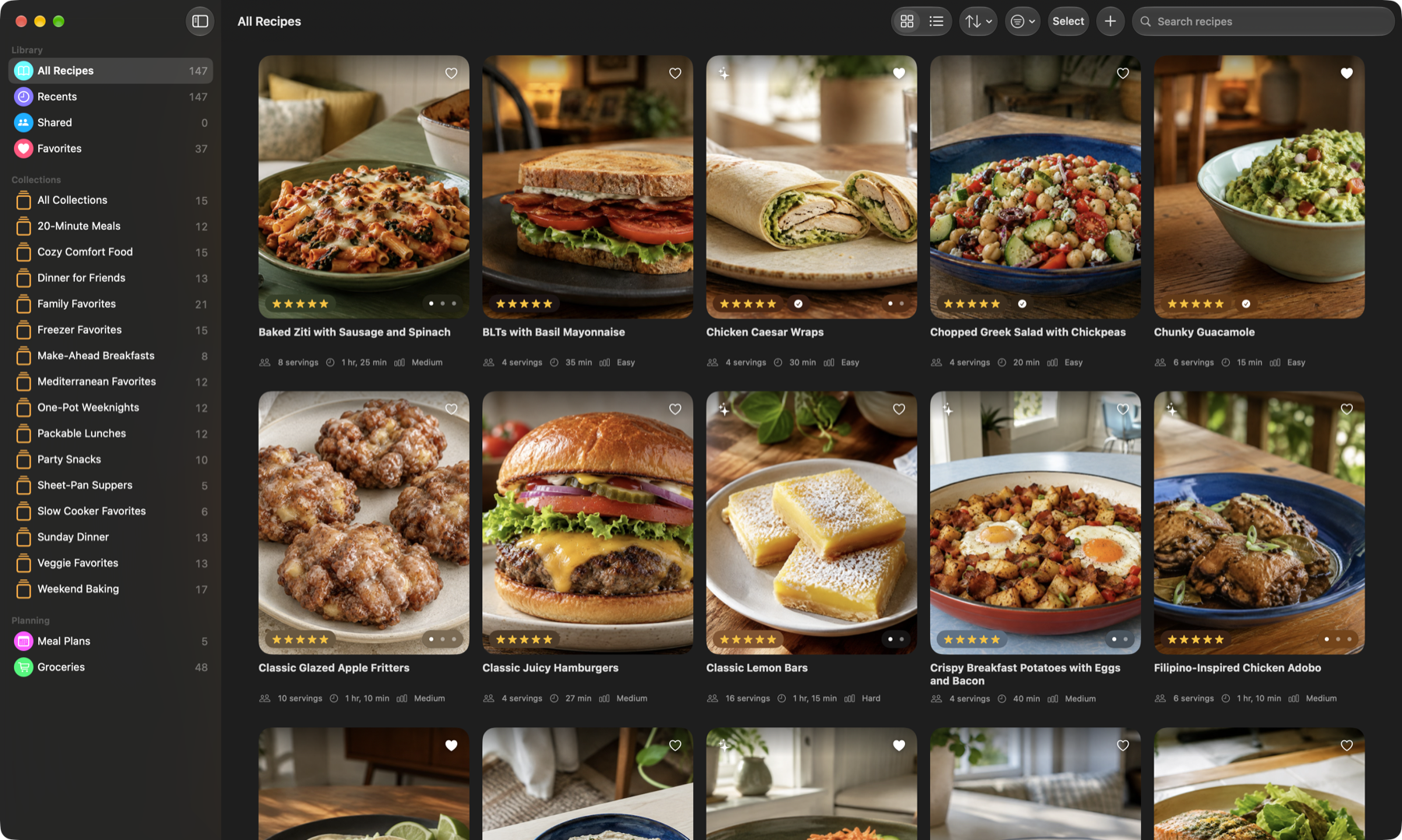
Mealbench on Mac showing a native recipe library with food photography, collections, sorting, and search

A personal recipe collection. A native Mac experience.

App appearance

Your recipes, in one place.
A week thoughtfully planned.
Ready when it's time to cook.

Keep your recipes in one place, group them into photo-rich collections, and bring them into your week. Your plan, grocery list, and Cook Mode are ready when you are.

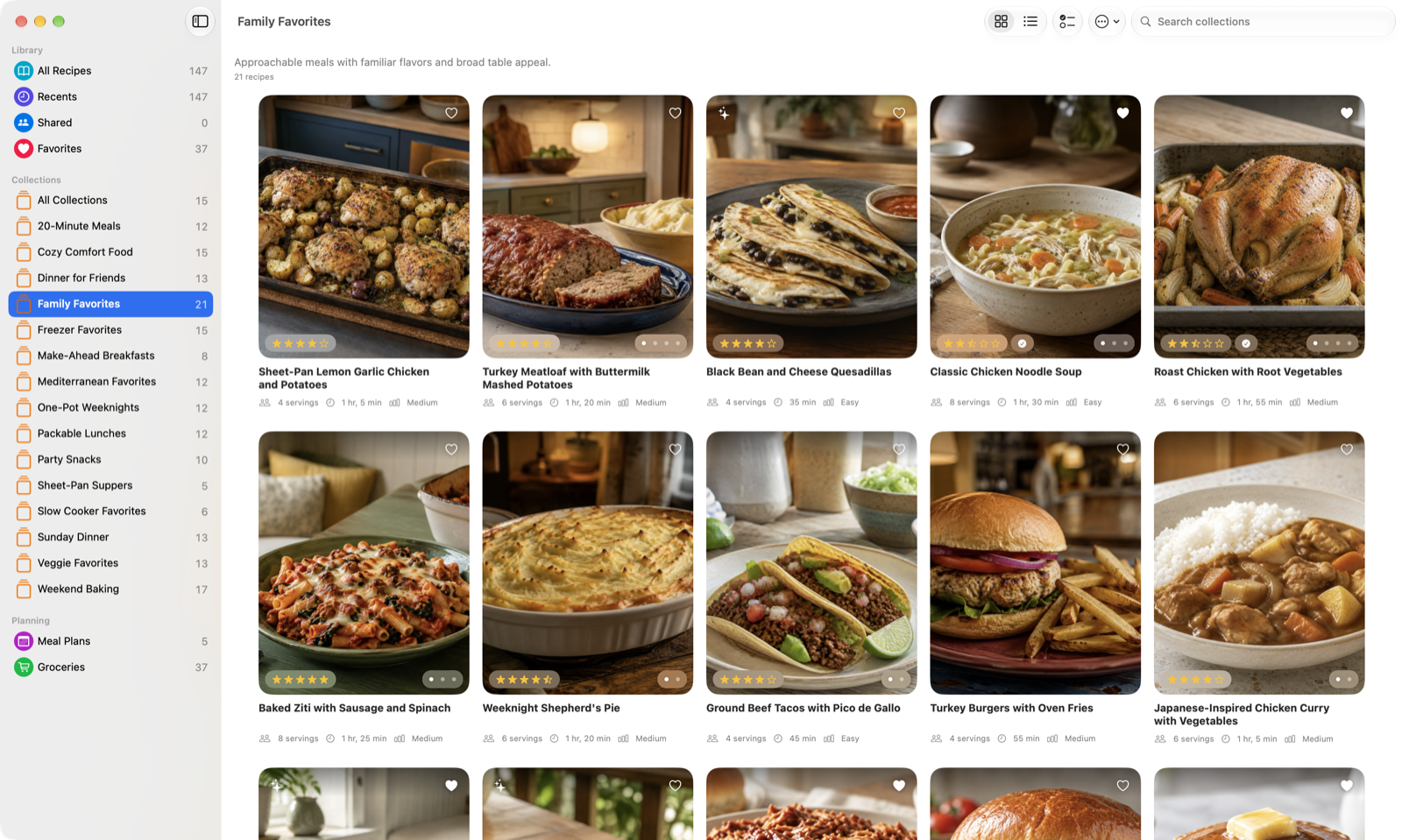
Family Favorites collection in Mealbench for Mac, with named recipes and food photography
Family Favorites, organized in Mealbench for Mac.

Organized your way.
Ready when you need it.

Your collection, presented with care.
And always easy to make your own.

Weeknight favorites. Family classics. Something for Sunday. Create collections that make sense for the way you cook.

Weeknight favoritesFor the familySunday cooking
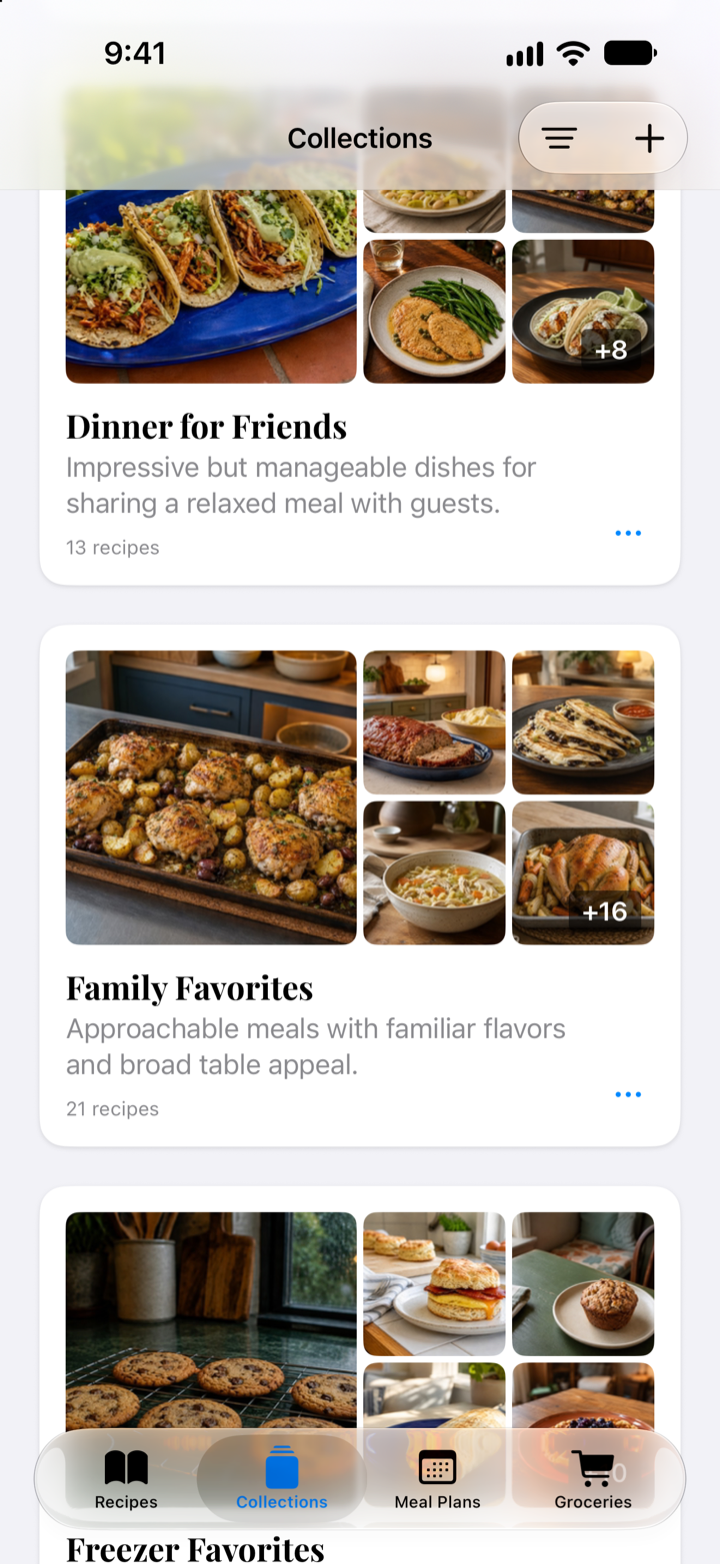
Mealbench Collections on iPhone, including Dinner for Friends and Family Favorites
Thoughtful on Mac. Natural on iPhone.

Your collection travels with you through your own iCloud account.

Every recipe.
Ready to cook.

Photos, ingredients, directions, and notes in one place. Scale servings and start cooking from the recipe.

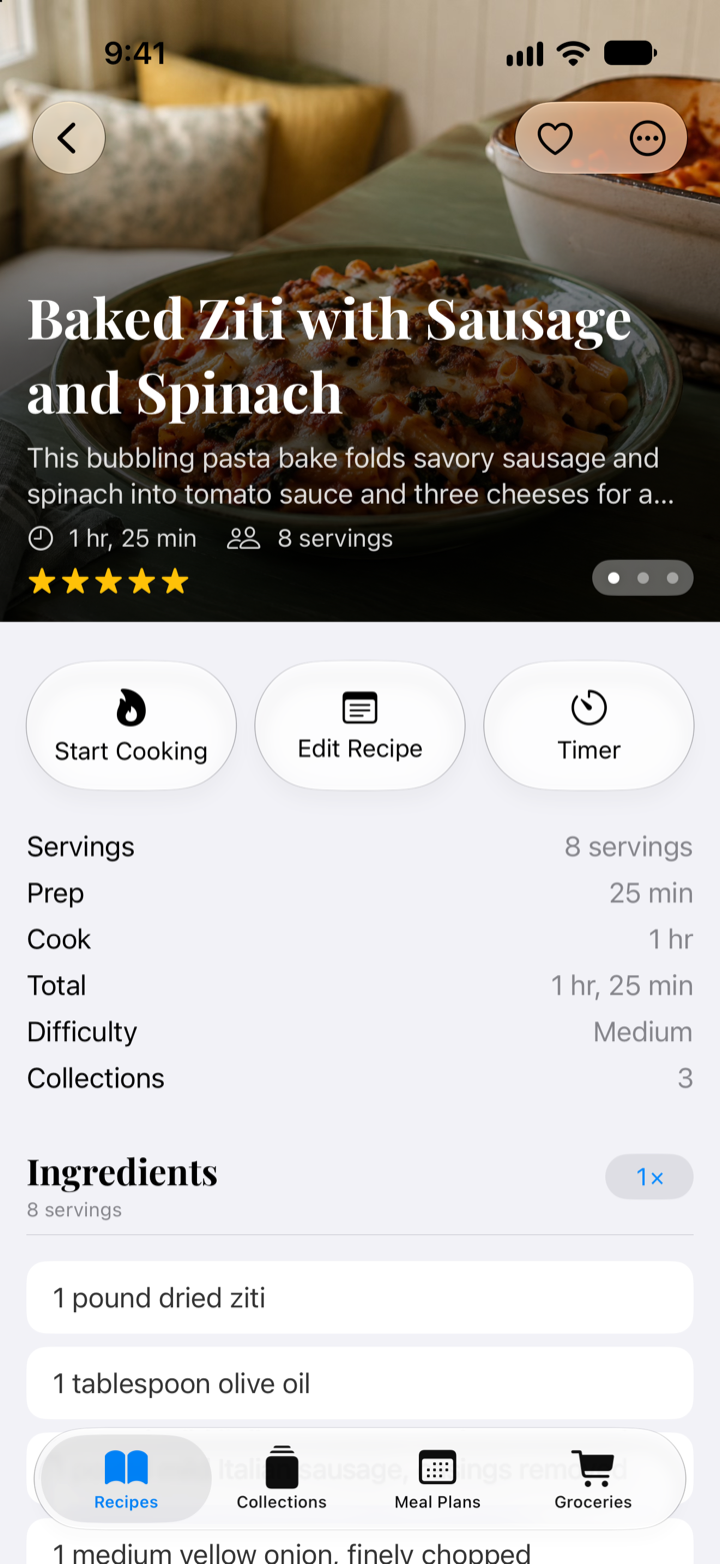
Baked ziti recipe in Mealbench for iPhone, with a food photo and cooking details
Everything in its place. Photos, ingredients, directions, servings, and notes stay together.
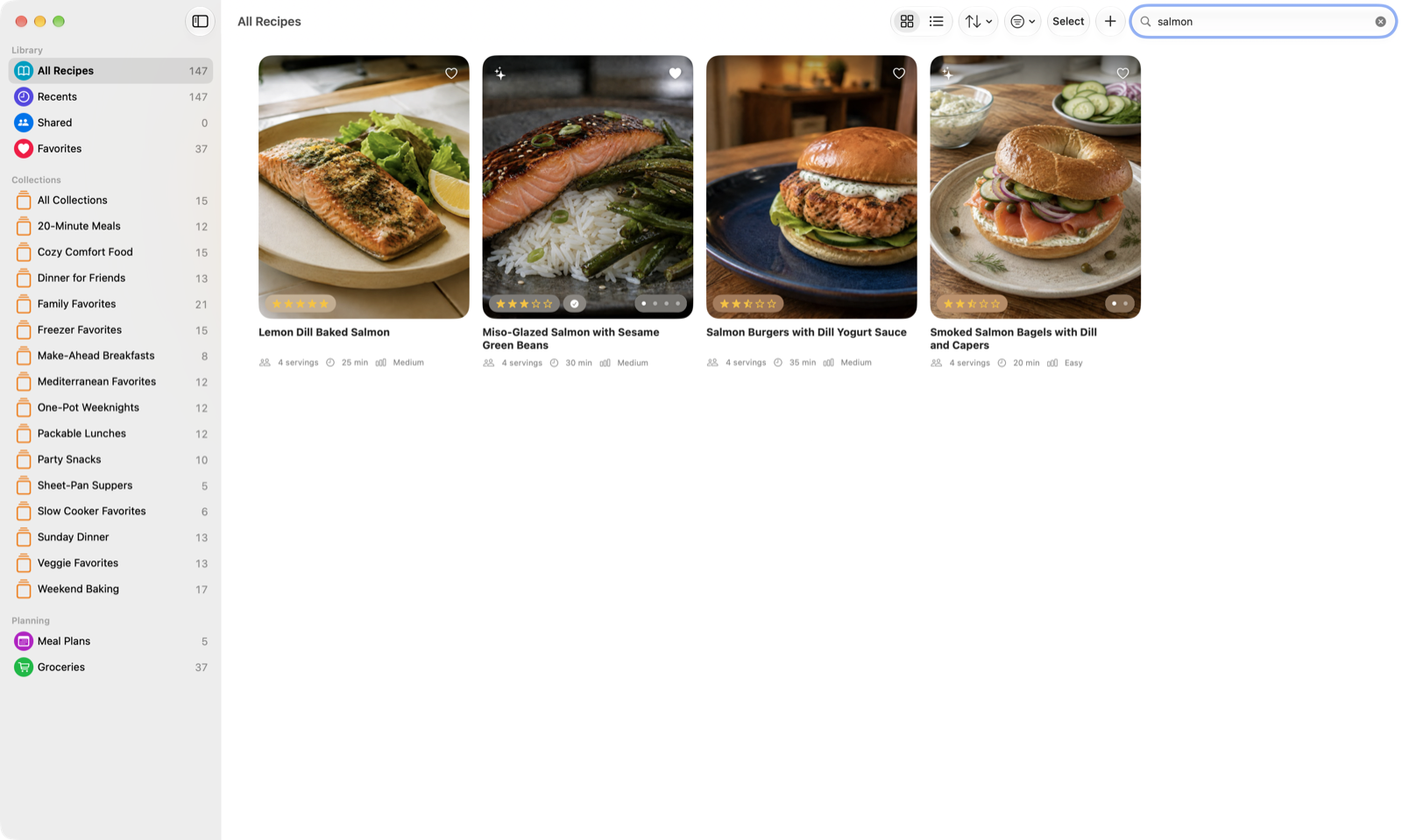
Mealbench for Mac showing search results for salmon recipes
Find it when you need it. Search your library, then refine it with sorting and filters.
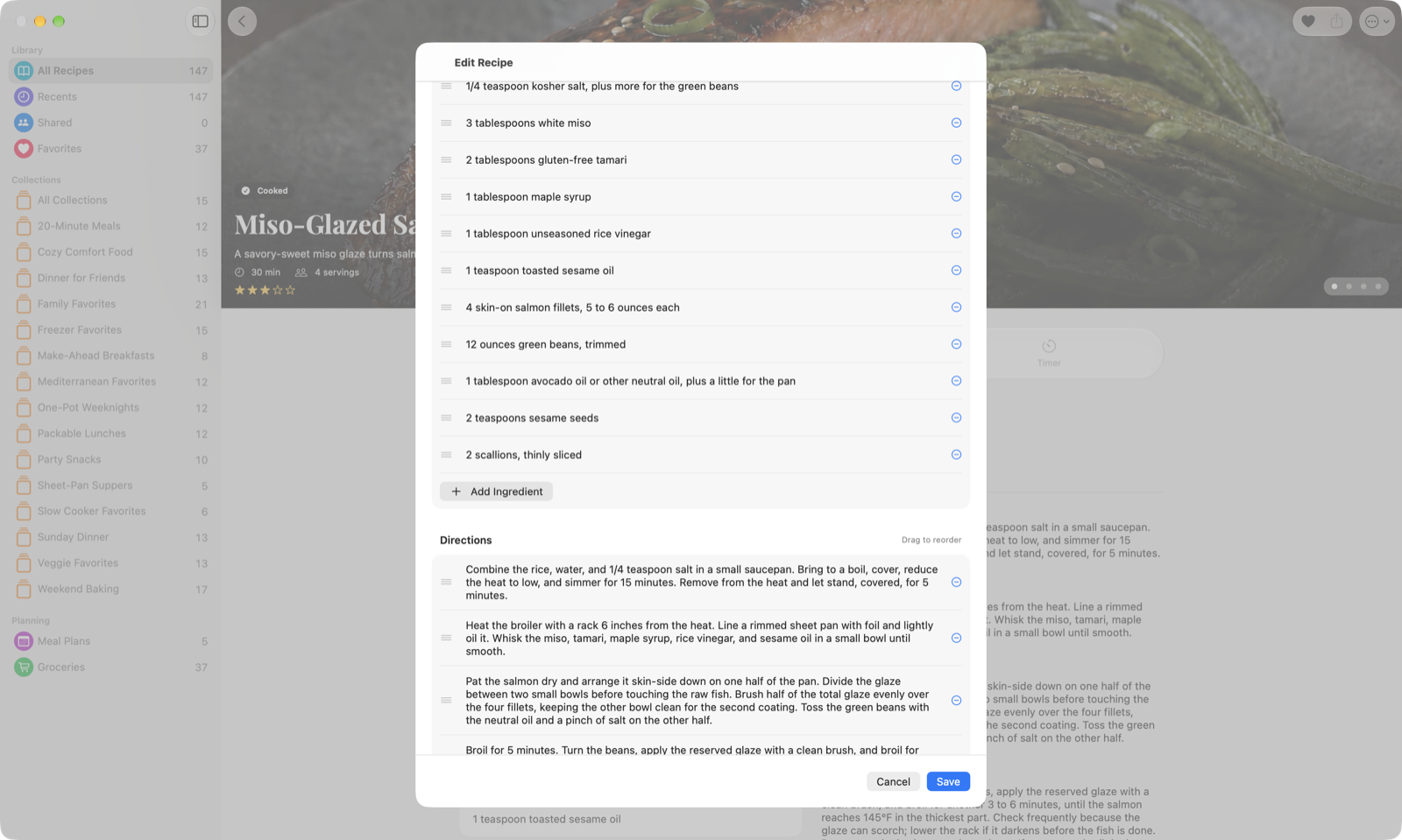
Mealbench recipe editor on Mac showing editable ingredients and directions
Make it your own. Edit the ingredients, steps, notes, and photos as your recipe evolves.

A good week.
Starts with a simple plan.

Choose your recipes. Plan your meals.
Let the grocery list come together.

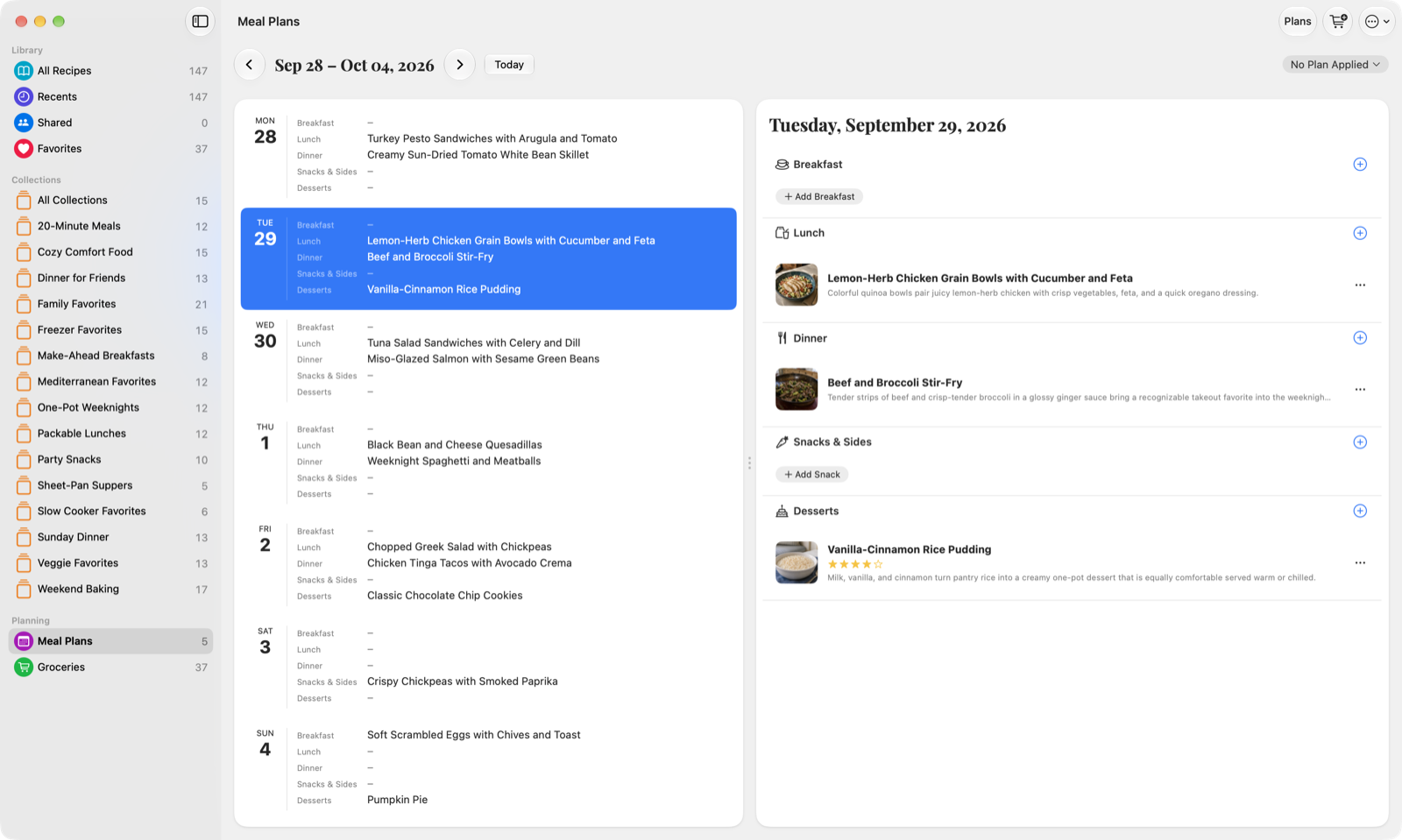
Mealbench Mac meal planner showing a populated week and Tuesday's lunch, dinner, and dessert
Shape the week around recipes in your collection.
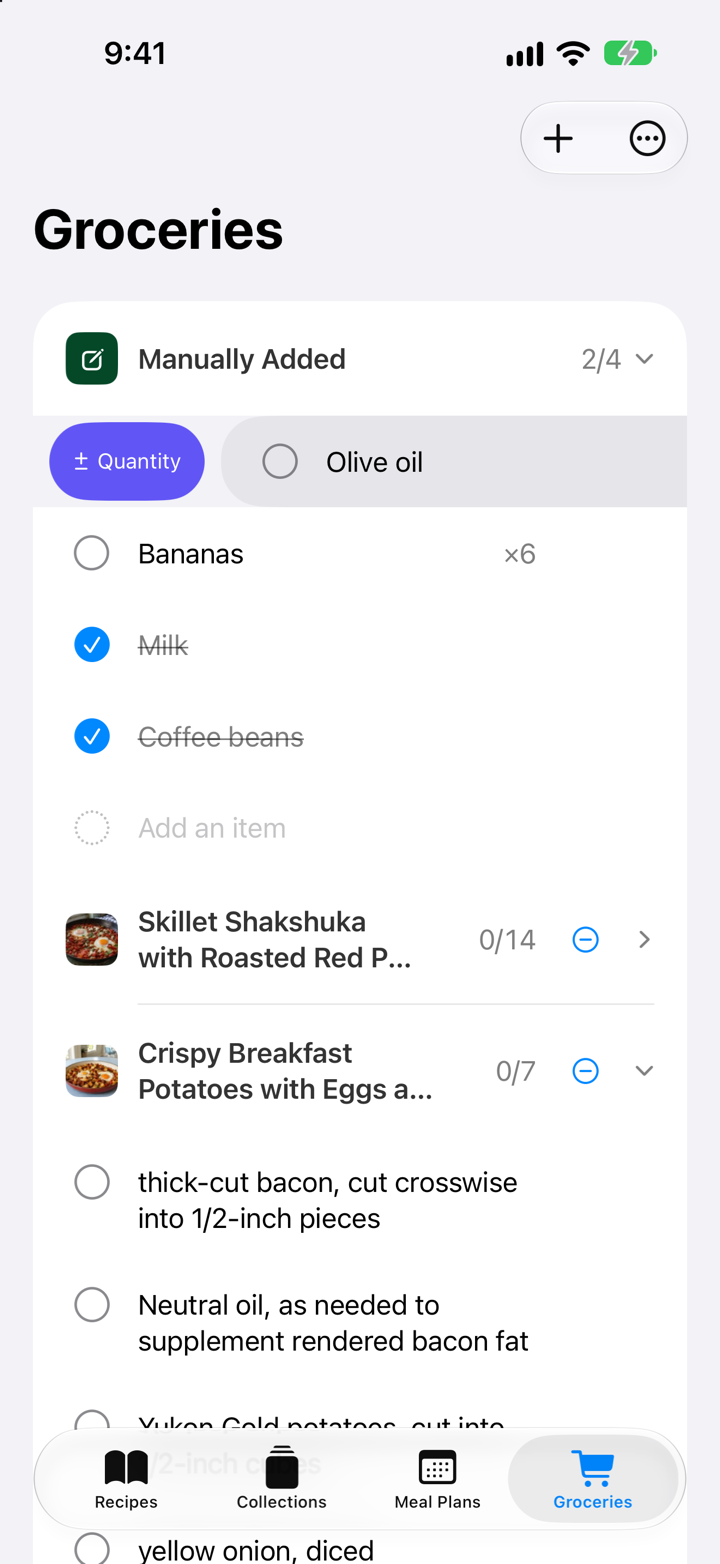
Mealbench groceries on iPhone with olive oil, bananas, checked items, recipe groups, and a quantity action
Bring recipe ingredients and everyday items into one list.

Plan with the recipes you love. Bring your collection into the week ahead.

One less list to write. Add ingredients from recipes and send your unchecked items to Apple Reminders when you're ready.

When it's time to cook

From your library
to the table.

Open any recipe, check what you need, then move straight into a focused cooking view.

Explore Cooking Mode
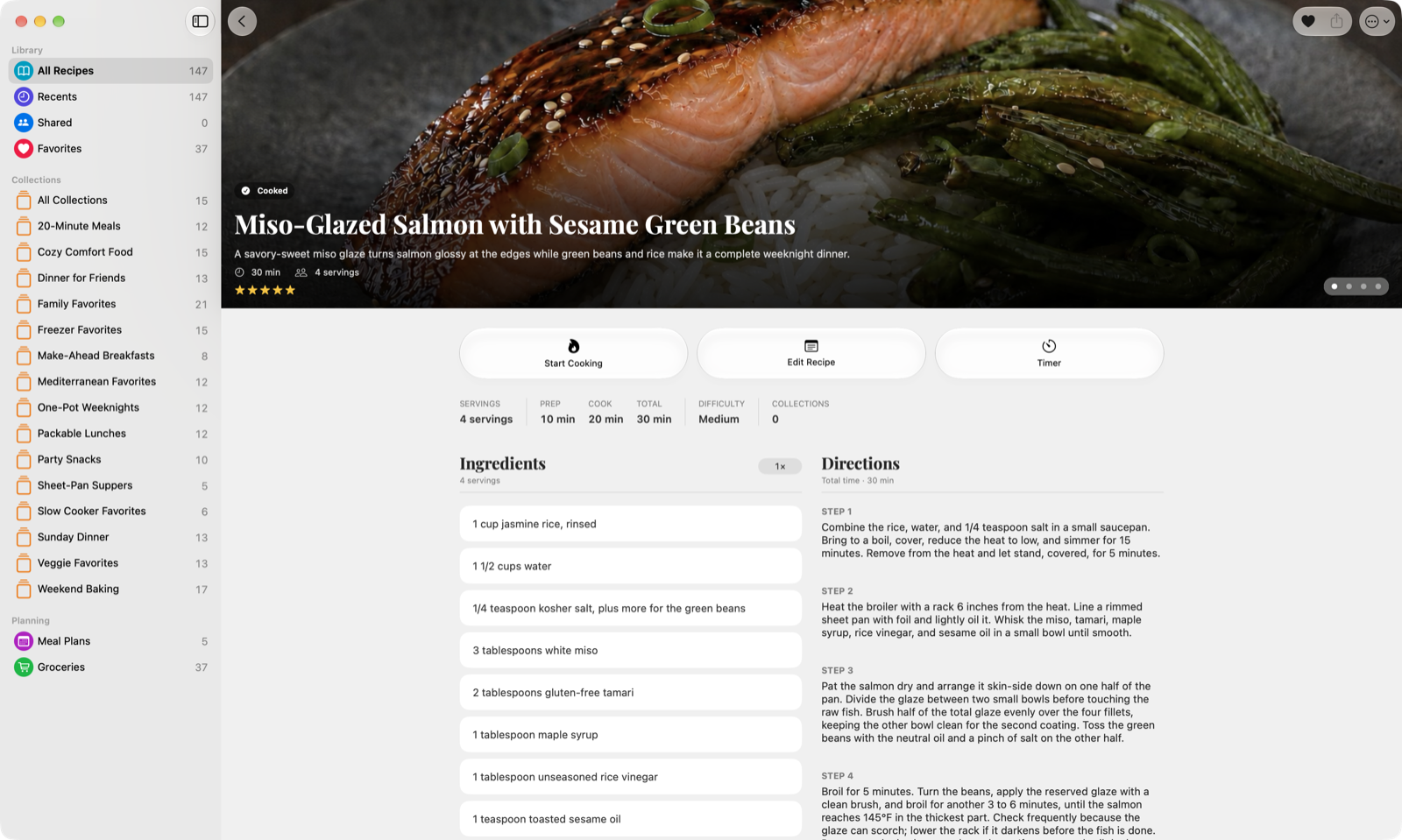
Miso-Glazed Salmon recipe in Mealbench for Mac, with ingredients, directions, and a Start Cooking button
Miso-Glazed Salmon with Sesame Green Beans in Mealbench for Mac.

In the kitchen.
In your element.

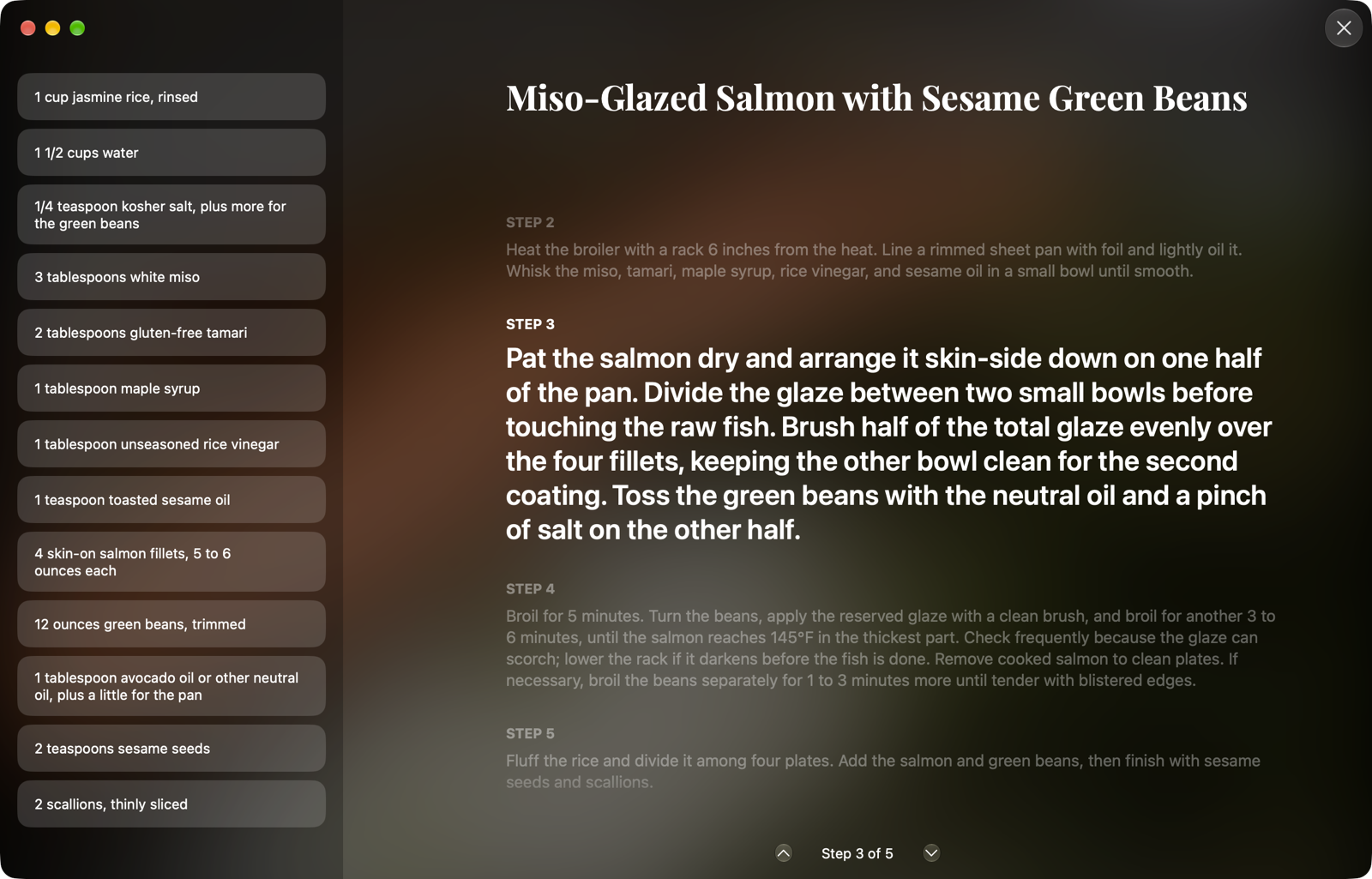
Cook Mode gives each step room to breathe against a soft-focus photo of your dish, with ingredients close by and timers ready.

Focused Mealbench cooking mode on Mac with the current recipe step and ingredients
Follow one clear step at a time, with ingredients close by.
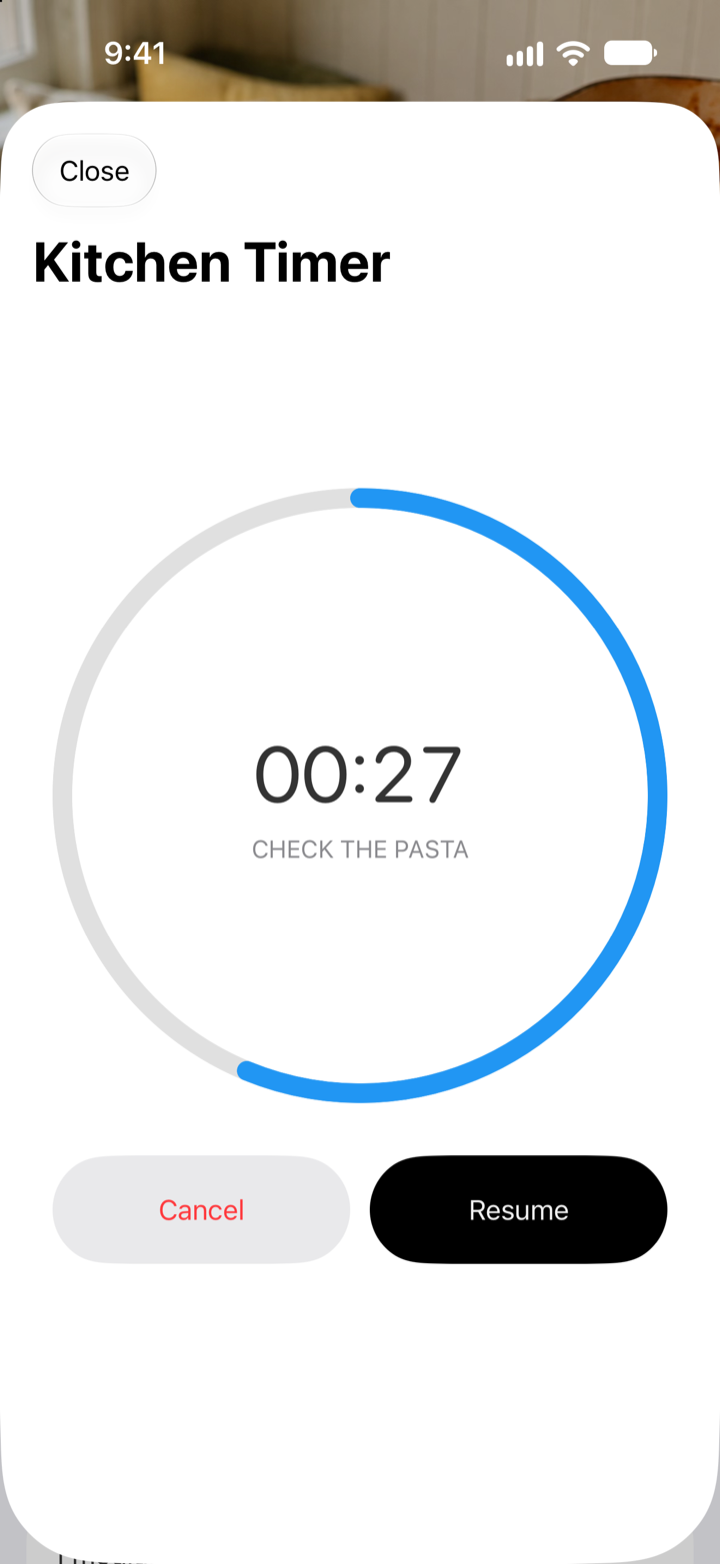
Mealbench cooking timer running on iPhone
Start a timer from a recipe step and keep cooking.

A little help.
Endless possibilities.

Connect ChatGPT or Claude to find and write recipes, plan meals, and build a grocery list. Mealbench applies changes when the app is open.

An example conversation with your assistant

Here’s a photo of what I have in the fridge. What could I make for dinner?

I can suggest a recipe from what you have and write the ingredients and steps for you.

Save that recipe to Mealbench.

Request sent. Open Mealbench to apply it.
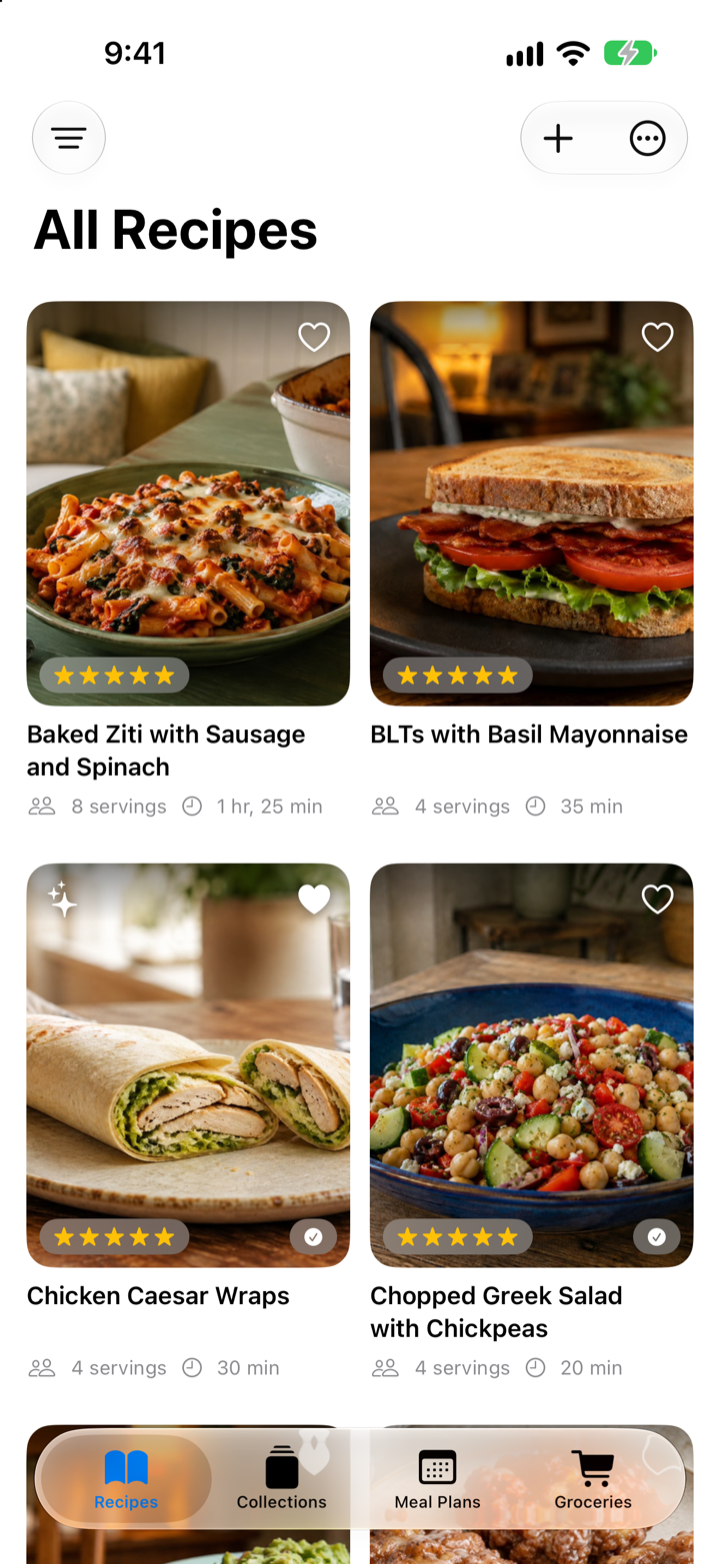
Mealbench recipe library on iPhone
In Mealbench: your personal recipe library.

Share a photo of your fridge or pantry with ChatGPT or Claude. Your assistant can suggest a recipe from what you have and send it to Mealbench.

Connect your assistant

Illustrative conversation; the app capture shows a native screen, not the example recipe. Mealbench’s MCP connections are optional. ChatGPT and Claude are separate services with their own account requirements and possible fees. Recipe extraction depends on access to the source. Mealbench itself does not generate images; an assistant can attach an image you provide or create separately.

Yours means yours.

Your recipes.
Your iCloud.

Your collection lives on your devices and in your own iCloud account. Optional assistant connections use a server copy so ChatGPT or Claude can read your library. You control the connection.

Our privacy approach

Keep them.
Take them anywhere.

Print a favorite or export your entire collection. PDF, HTML, or Markdown. One recipe or all of them, whenever you want.

PDFHTMLMarkdown

Your cooking.
Our only agenda.

No advertisements. No subscription to another service. Just a thoughtfully made app for your home, your food, and your people.

Why we made Mealbench

One purchase.
Everyone at home.

Family Sharing is included with each platform purchase. Everyone in your Apple family group can make Mealbench their own.

Mac and iPhone are purchased separately. Each purchase covers your family group on that platform.

A baked ziti recipe in Mealbench on iPhone
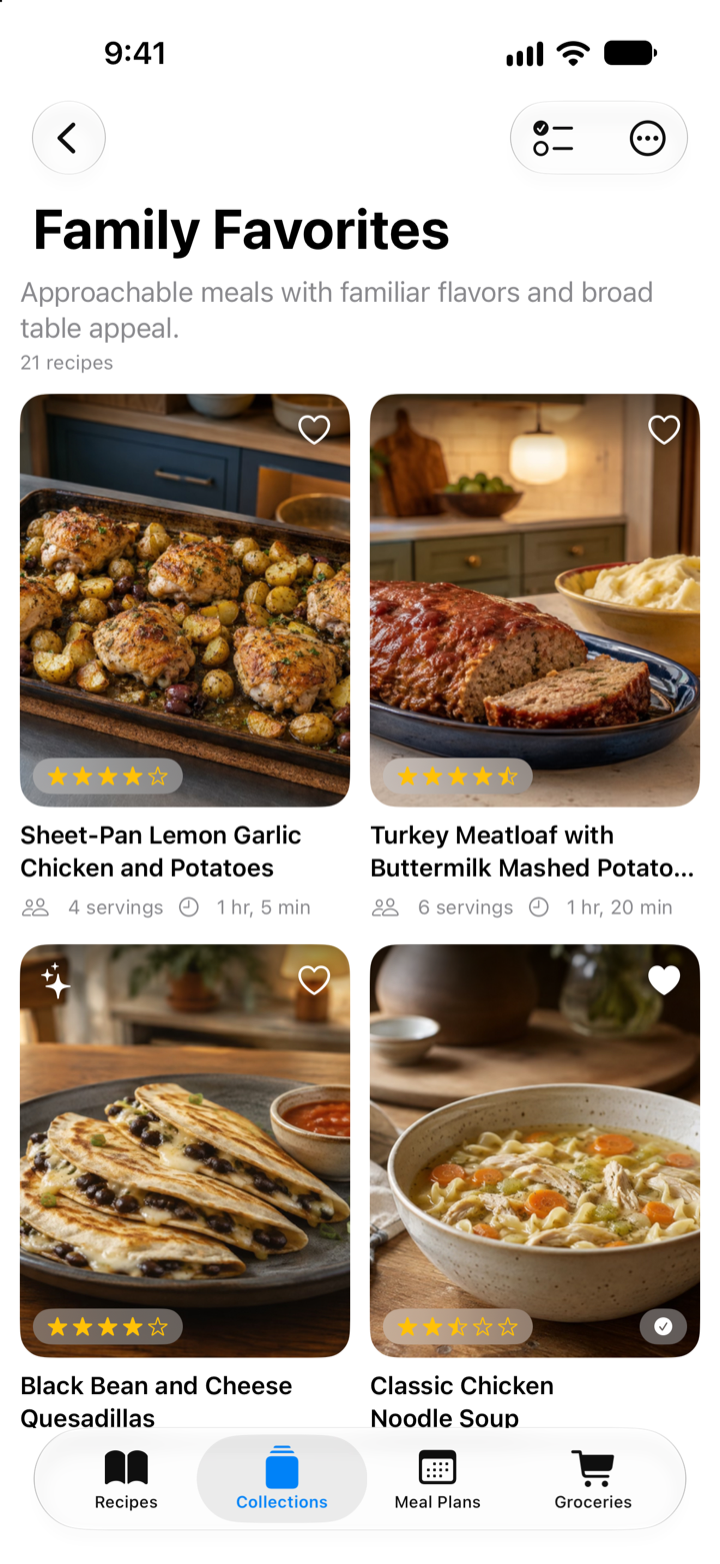
A Family Favorites collection in Mealbench on iPhone

Start free.
Make it yours.

Keep 20 recipes and edit them freely, with no time limit.
A one-time purchase lets you add and edit without a recipe limit.

Mealbench for iPhone

Your favorite recipes.
Always close at hand.

$6.99$9.99Launch price

One-time purchase. Unlimited recipes.

  • All Mealbench features
  • Family Sharing included
  • Your own iCloud sync
Get Mealbench for iPhone
Mealbench for Mac

Your whole collection.
Room to spread out.

$14.99$19.99Launch price

One-time purchase. Unlimited recipes.

  • All Mealbench features
  • Family Sharing included
  • Your own iCloud sync
Get Mealbench for Mac

Prices shown in USD. Mac and iPhone are separate purchases. Regional prices and taxes may vary; the App Store shows your final price. Optional AI services may have their own fees.

A few good
questions.

Ask us something else
What’s included for free?

Keep up to 20 recipes and edit them free, with no time limit. Reading, cooking, collections, meal plans, groceries, printing, and exporting stay free even when your library grows. Adding beyond 20 or editing a larger library needs a one-time purchase for the platform you use.

Is there a subscription?

No. There’s a separate one-time purchase for Mac and iPhone. Mealbench has no recurring charges or hidden fees. Optional ChatGPT or Claude services are separate and may have their own costs.

How does Family Sharing work?

Each platform purchase includes Apple Family Sharing. Members of your Apple family group can use the purchased version on that platform. A Mac purchase does not also unlock the iPhone version, or vice versa.

Where do my recipes live?

On your devices and in your own iCloud account. While an assistant is connected, Mealbench also keeps a copy on its servers so it can read your library. After disconnecting your last assistant, you can delete that copy from Settings → Connect. Your device and iCloud library stay intact. Learn how sharing works.

Do I need to use AI?

No. Mealbench is a complete recipe app on its own. ChatGPT and Claude connections are optional ways to create and collect recipes.

Can I export my collection?

Yes. Print your recipes or export them as PDF, HTML, or Markdown. Export one recipe, a selection, or your whole collection at once.

Good food.
Great place to start.

Meet your new favorite place for your recipes.

Download on the App StoreDownload on the Mac App Store

Free to start. No subscription ever.